
FamilySearch
The more smoothly the Chinese Geneology Team can manage their genealogy, the more quickly they can add many genealogies books to the FamilySearch collection for public use.
ROLE
UX designer
User research, user interviews, requirements analysis, information architecture, Wireframing, UI visual design, Prototyping, and user testing.
OVERVIEW
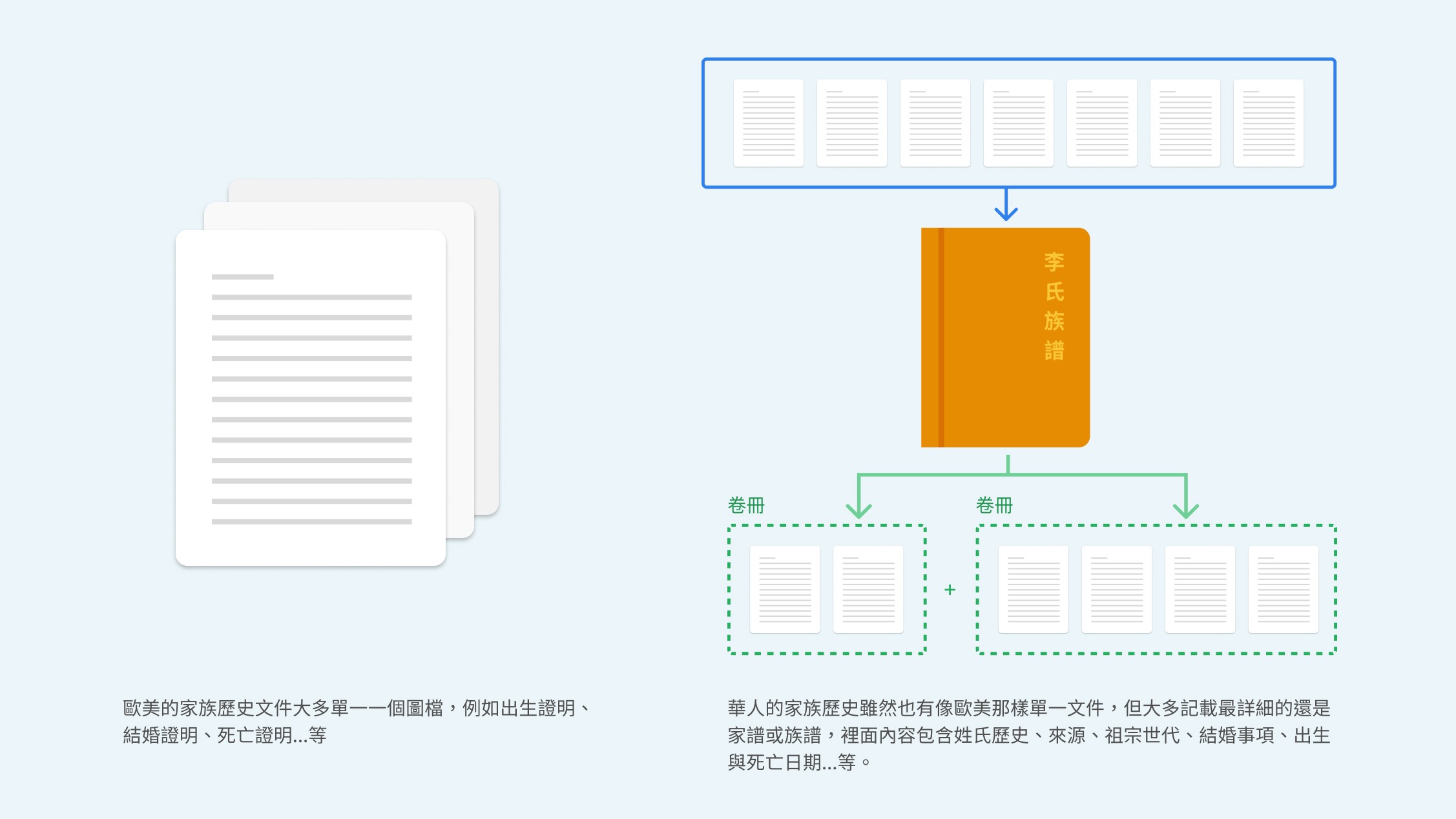
FamilySearch is a global free online genealogy system with the largest online genealogy collection in the world. FamilySearch is a non-profit organization of American origin, and because of this, the interface of FamilySearch is mostly based on the user habits and culture of English-speaking countries, which causes great difficulties for the Chinese genealogy team in managing the Chinese genealogy.
Each week, genealogy metadata specialists receive a large number of genealogy files (DGS), so they are in great need of a system that provides an efficient way to manage these files and assemble the genealogy files for the same family name into a single volume. However, the system now available for global access is slowing down their productivity.number
Challenges
● Understand their management processes from the ground up.
● Simplify their management processes.
● Strike a balance between the needs of the genealogy staff and the
resources of the engineers.
● Design a new system without changing the structure and flow of data
acquisition from the database.
● The new system UI design remains the same as FamilySearch.org.
THE SOLUTION
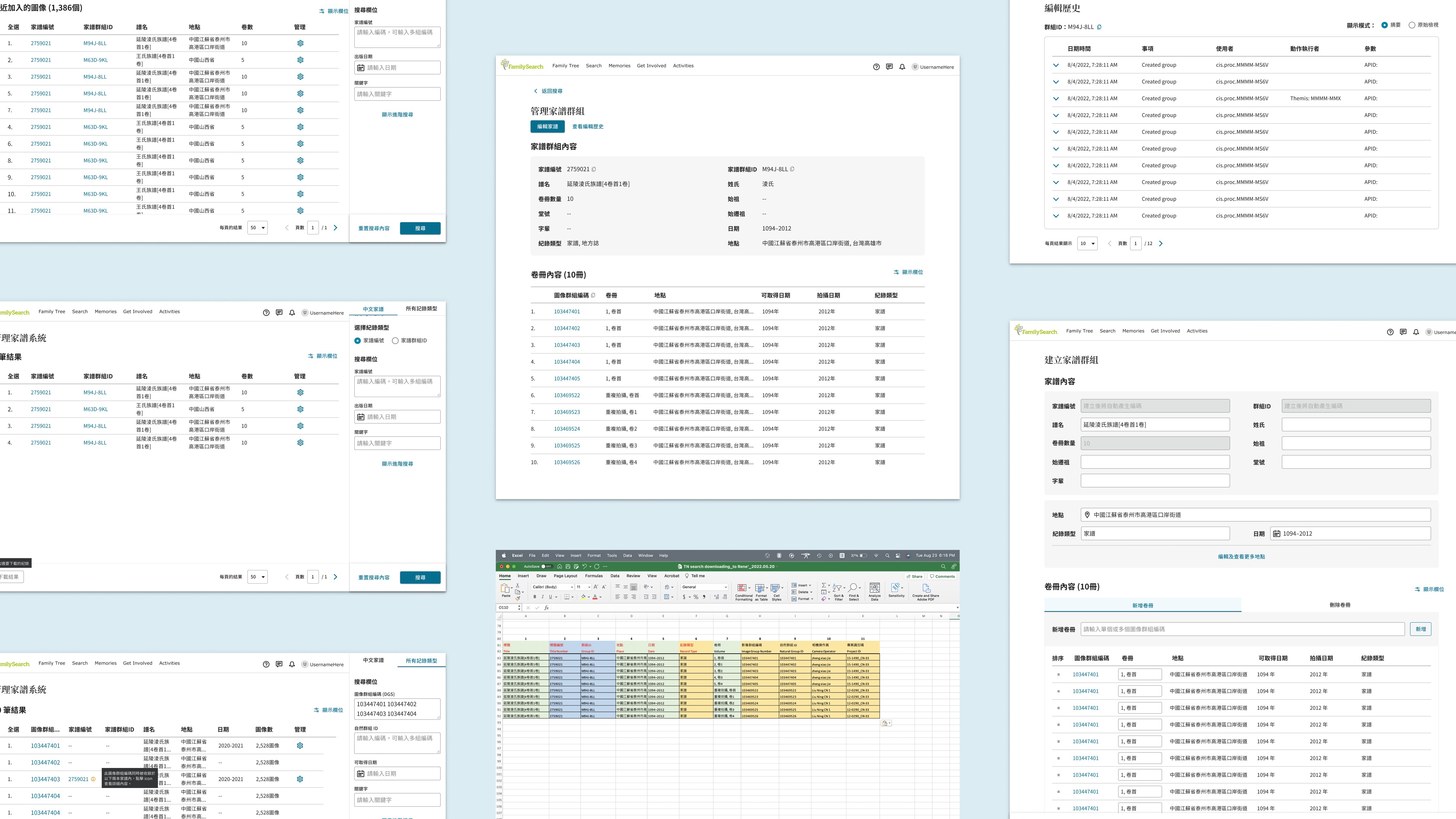
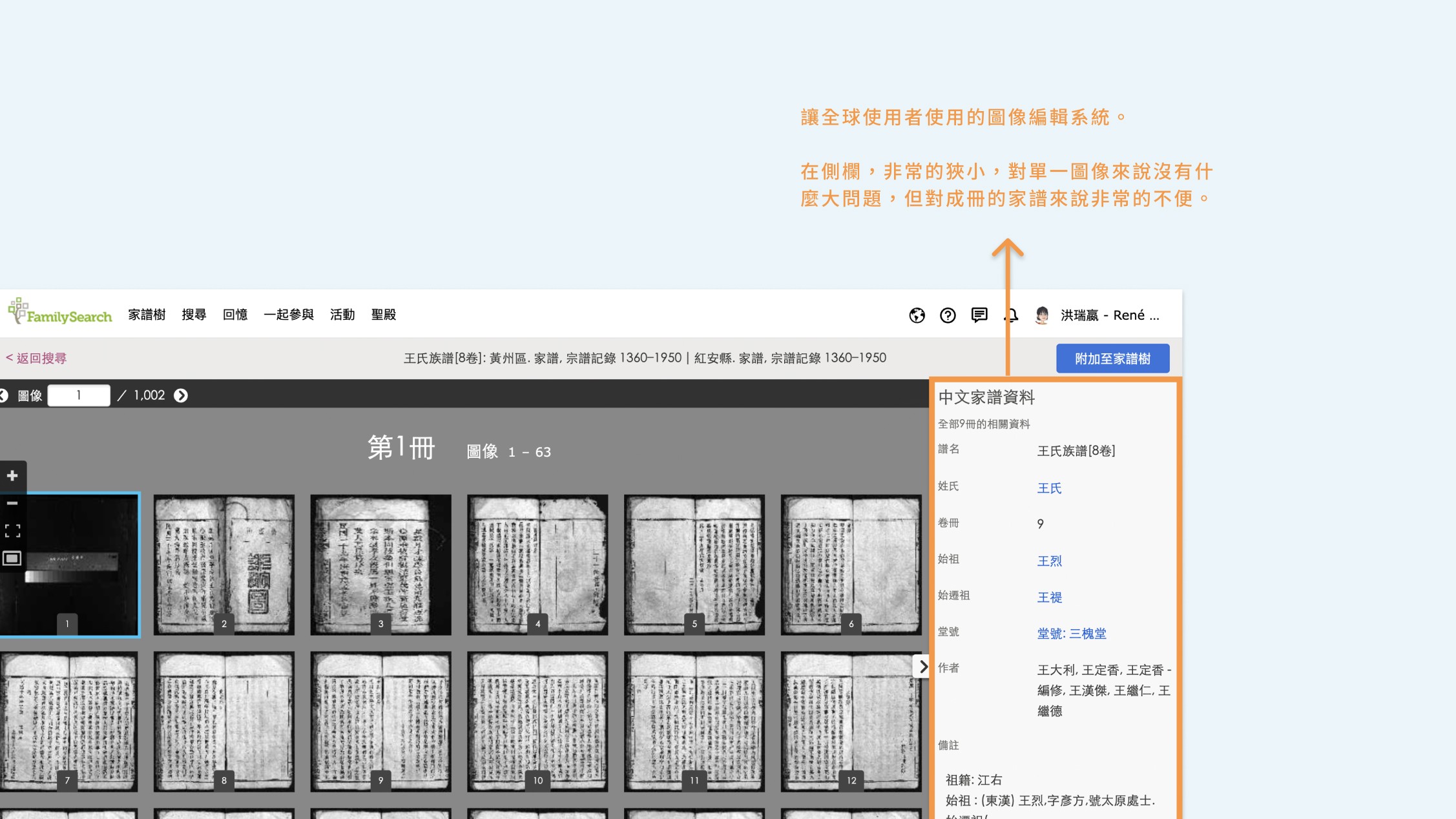
Since only the Chinese team will be using this optimized system, we decided to let users leave the sidebar drum face system and create a link for internal staff to open a new window to access the new system directly to do genealogy image management, which can directly solve the problem of the narrow sidebar and difficult to work with, and will not affect other countries to use the original management system.
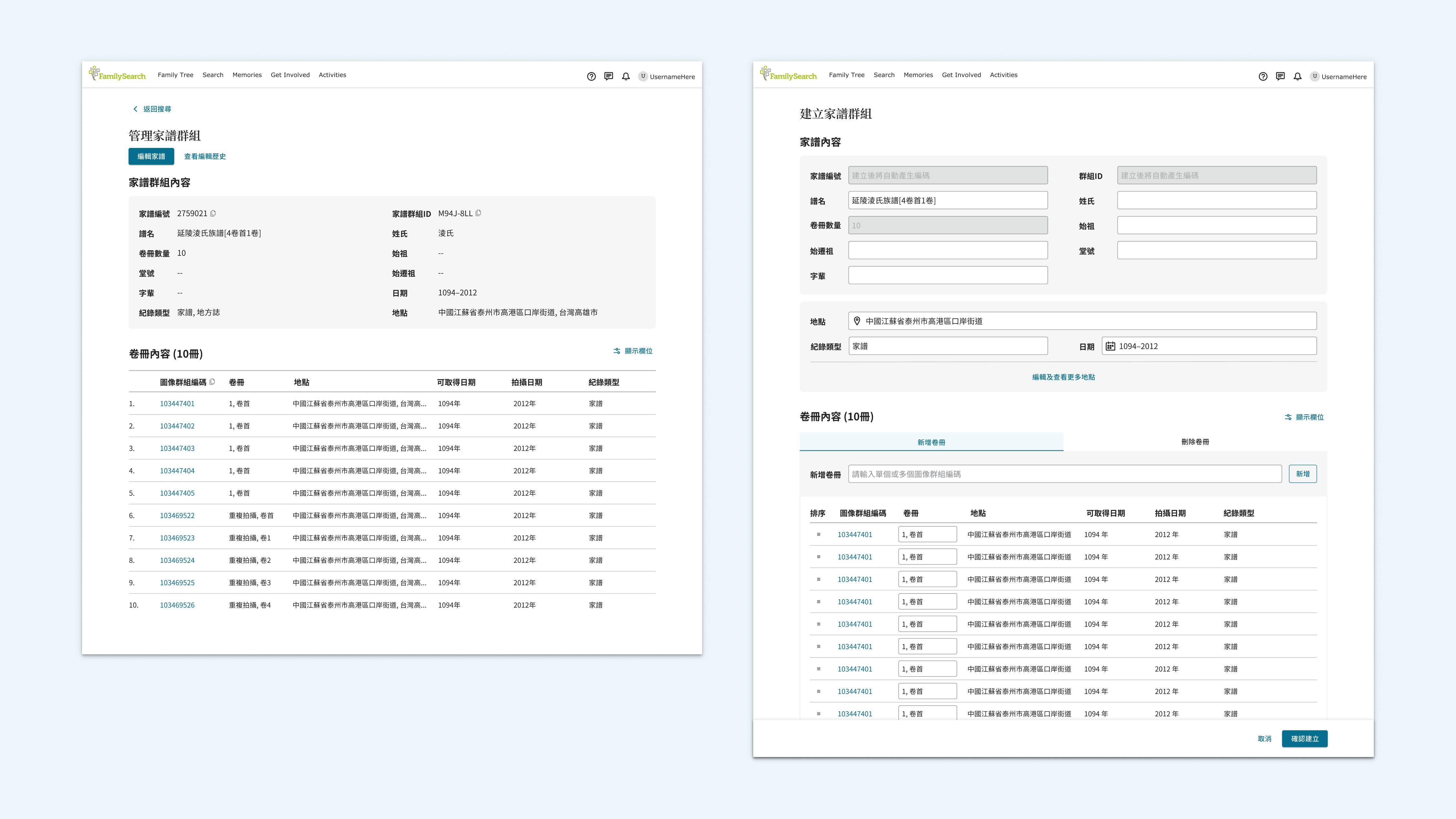
Due to the width of the screen is sufficient, the genealogy data fields that users need can be displayed at once. This is the best way to search for genealogy images. This way, even if you are just searching for a genealogy image, you can quickly see if the image is already listed in a family tree or if it is repeatedly listed in a different family tree.
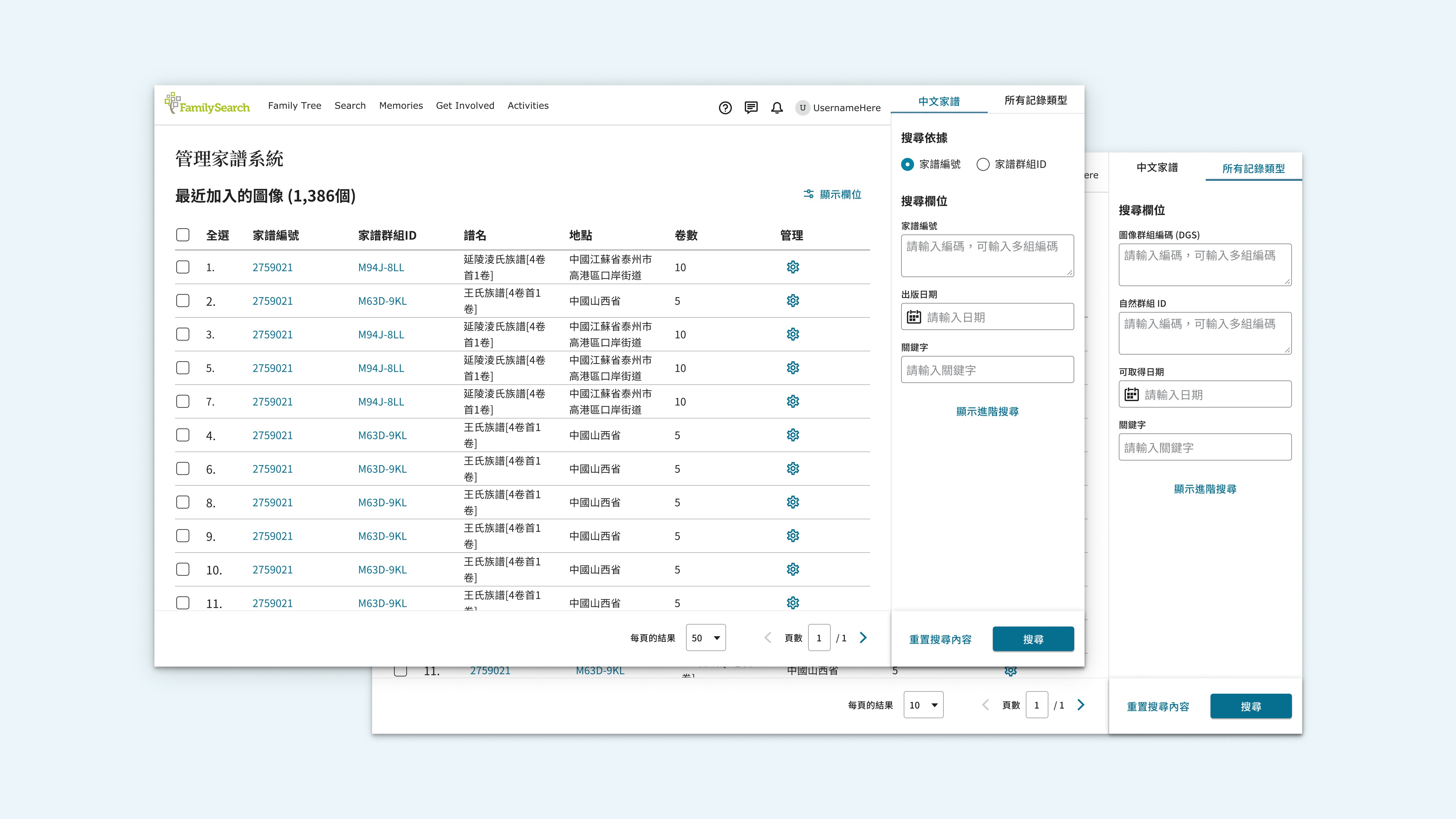
There are two search options in the right sidebar: "Search for genealogy images only" and "Search for genealogy books so that genealogy managers can search according to their needs. Clicking on the gear icon will allow the user to access the genealogy and perform editing and management operations. In edit mode (right image below), users can quickly and intuitively name and order the volumes on this page. Under the original management system, they had to click on all the pages on the side of the volume and then go to the sidebar to do the editing, which was a significant amount of pagination and inconvenience.
User flow and final design
Click on the picture to see the big picture
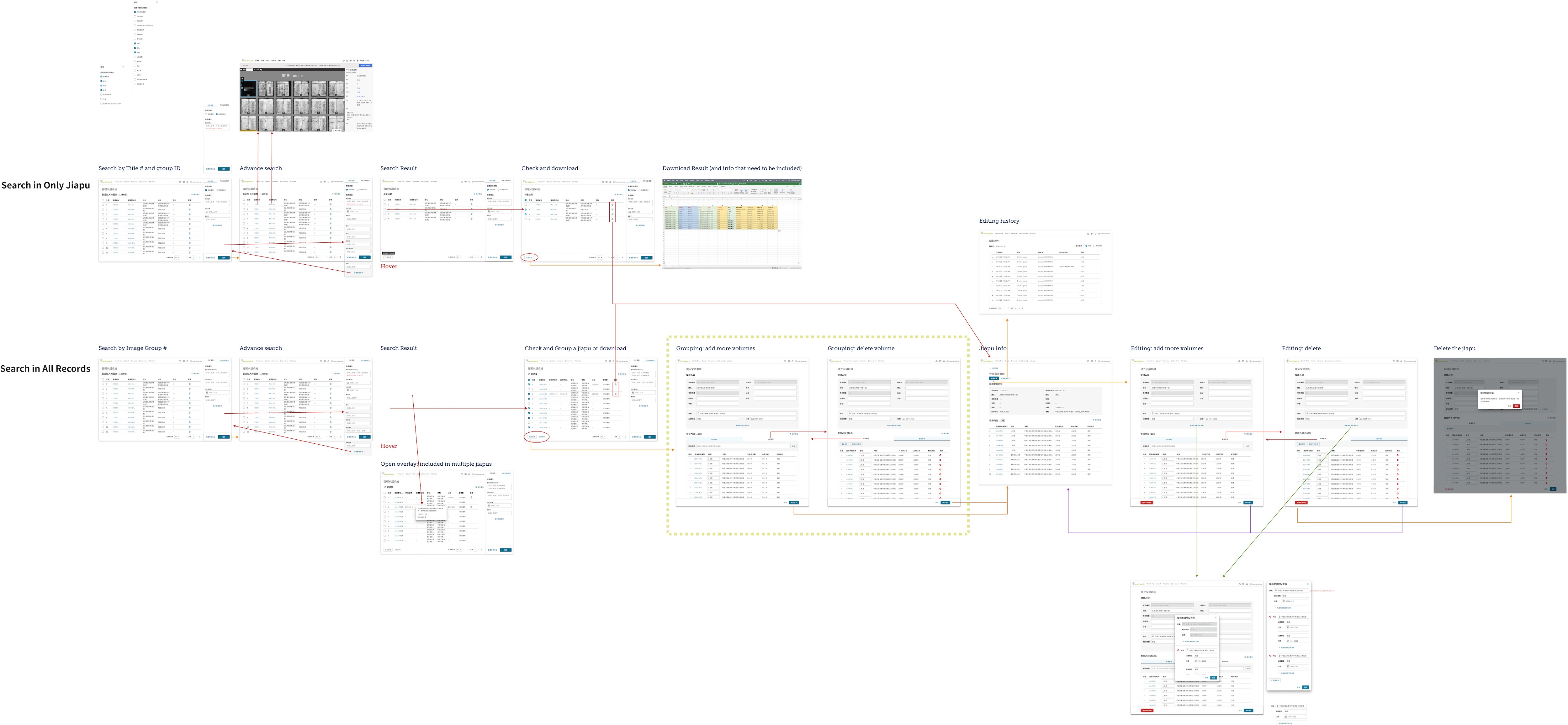
Before confirming the final design, we kept confirming the requirements and process through user test interviews, and then finally created the design. Almost 100% of the users were very happy to see the new interface and process, and they all agreed: "This has made our work much more efficient and saved a lot of time! The screen looks very comfortable and intuitive too. When will we be able to use the new system?"
As the lead UX designer of this project, I feel their expectation, which makes me feel very fulfilled! The design has been developed and released to users.
2022 FamilySearch Image Caltagory System
FamilySearch